
迅速でお得なゲームチャージを提供する信頼のサービスで、すべてのプレイヤーのゲーム体験をより快適にします。
迅速でお得なゲームチャージを提供する信頼のサービスで、すべてのプレイヤーのゲーム体験をより快適にします。



注: お客様の情報は安全に管理されます。
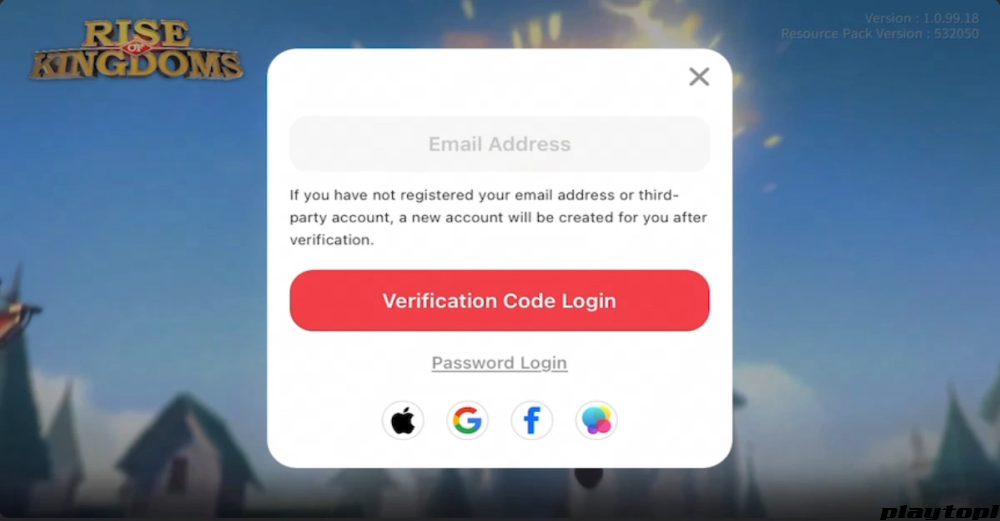
1. After placing an order, you need to provide the linked Google/Facebook + password. If two-factor verification is enabled, please cooperate with the verification login.
2. After placing an order, please contact our staff via WhatsApp in the bottom-right corner.
Please confirm that the account + password information required for top-up is correct to avoid any errors during purchase. The top-up usually takes about 15 minutes. In special circumstances, delivery may be delayed.
If this is your first top-up, you will receive extra in-game top-up rewards. Please refer to the in-game top-up rules for details.
How to get your email + the gems you need to purchase
Rise of Kingdoms is a popular real-time strategy mobile game developed by Lilith Games. In the game, players act as a governor, building and expanding their own civilization. The game features various historical civilizations, each with unique commanders, units, and abilities. Players gather resources, research technologies, train troops, and battle against other players or AI-controlled enemies.
Gems are a resource unlocked immediately after you build your city. Except that a Master Blueprint is required for level 25 building upgrades, gems are not required for any troop training/upgrades or building upgrades.
Gems can be used to buy items from the Mysterious Merchant, the shop, or the VIP shop. Alternatively, they can be exchanged for VIP points in the VIP interface, or used directly to speed up training, research, or construction.
Playtop1 is a global, professional, and secure game trading platform that provides top-up services for popular games such as Genshin Impact and PUBG.
Our advanced encryption ensures every transaction is secure. After topping up, you will usually receive your gems within 3 minutes, so you can return to the game immediately.
We provide affordable Rise of Kingdoms top-up services for players worldwide. Buying gems on Playtop1 can save you up to 25% of the cost. Don’t miss the chance to buy ROK gems at a lower price on Playtop1!
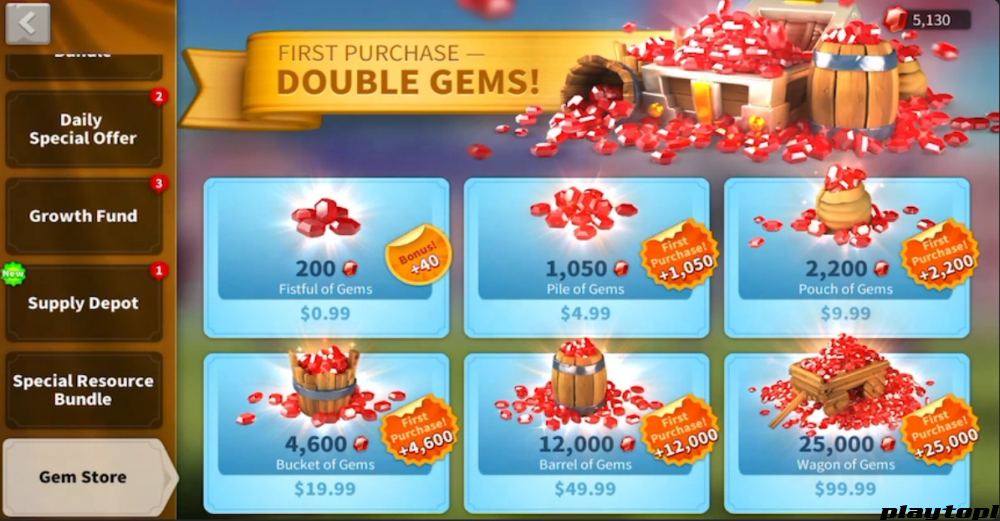
1. Before topping up, remember to link your game account with Google or Facebook. After linking, you can follow the steps below to top upROK on Playtop1:
2. Choose your preferred language and currency.
3. Log in to your Playtop1 account. If you don’t have an account, create one.
4. In the top-up section, choose the game you want to top up. In this case: Home > Top Up > Rise of Kingdoms
5. Choose the number of gems or bundles you want to purchase.
6. Click Top Up Now, choose your preferred payment method, then click Pay Now to complete payment.
7. Fill out the form sent by the seller, which includes your delivery information (i.e., in-game nickname and Google / FB account and password).
8. Wait for the top-up to complete and check the gems you purchased in the game.
Please note that ROK top-ups on Playtop1 only support the login top-up method.
1. Tap the “gear icon” in the bottom-left of the main screen to open “Settings”.
2. From the menu, tap the “Account/Character” option.
3. Choose the Rise of Kingdoms account type you want to link. If you don’t have a Rise of Kingdoms account, the system will guide you to register, or log in and confirm the account link.
4. After confirmation, you will be redirected back to Rise of Kingdoms to log in with your linked account.



レビューを投稿